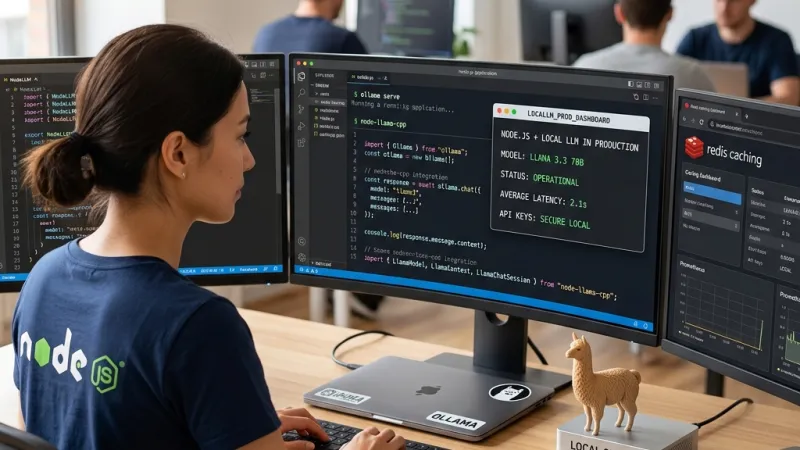
Best Free GitHub Copilot Alternatives: Local AI for Devs

Stop Paying /Month: The Rise of Free AI Coding Assistants
Why ditch the monthly subscriptions in 2026?
The software development landscape has completely flipped this year, making those monthly AI autocomplete fees a massive waste of money for most programmers.
With general inflation and tech operating costs skyrocketing, cutting AI subscriptions is the smartest first move for freelancers and indie hackers trying to protect their profit margins.
Right now, open-source models have reached a technical maturity that easily matches closed commercial alternatives, especially for daily grinds like refactoring legacy code or hunting down logical bugs.
Staying profitable means auditing your daily stack. That $240+ you bleed every year on subscriptions could buy actual, physical hardware upgrades that offer a permanent return on investment.
Going zero-cost doesn't mean dropping your code quality. It means taking back control of your computational resources and keeping your client's repositories completely private.
The raw power of Open Source vs. Closed ecosystems
An open-source model gives you surgical precision over your project data, guaranteeing that not a single line of your proprietary code gets beamed to a third-party server for training.
The massive global developer community patches security flaws and adds support for niche programming languages in days, moving way faster than traditional corporate release cycles.
You can download the model weights and fine-tune them directly on your local rig, tailoring the AI to the specific design patterns and microservices architecture your team actually uses.
Big Tech companies have a notorious track record of changing their pricing tiers and Terms of Service overnight, leaving thousands of agile teams stranded mid-sprint.
Betting on the decentralized, open ecosystem ensures your coding assistant keeps running 24/7, bulletproofing your deadlines against external server outages.
What to install before you start (VS Code & Extensions)
Everything starts with a clean Integrated Development Environment (IDE). Make sure you are running the latest stable build of Visual Studio Code or an AI-first fork like Cursor.
Your extensions tab is about to become your main dashboard. This is where you'll route connections to free APIs or bind ports to your local Large Language Models (LLMs).
You need to aggressively audit your current setup. Conflicting keyboard shortcuts or memory leaks from dead plugins will completely ruin the experience of these new AI tools.
Never install multiple AI assistants at the same time. Having two inference engines fighting to predict the same line of code will bottleneck your editor's main thread and fry your CPU.
Set up a clean, isolated Workspace profile to stress-test the latency and accuracy of these tools before you let them touch your production codebase.
Quick Shortcut
In Visual Studio Code, hit
Ctrl + Shift + P(or Cmd + Shift + P on a Mac) to open the command palette and reload the window instantly if your AI extension hangs while chewing through a massive file.
The real impact on your wallet: Calculating your savings
The math is brutal: a standard twenty-dollar monthly subscription drains two hundred and forty dollars a year from your pocket—capital that vanishes into thin air.
You could literally rent a high-performance Virtual Private Server (VPS) for a full year to host your databases, RESTful APIs, or client staging environments with that exact same budget.
You have to watch the current hardware market. In early 2026, storage prices are creeping up, and a standard 1TB NVMe SSD will run you about $55 on Amazon.
Shifting your software budget into hardware lets you double your workstation's RAM. That is a non-negotiable upgrade if you plan to run Docker containers and local AI models at the same time.
Killing redundant micro-subscriptions is the ultimate strategic move to scale your freelance business and stay lean against the competition.
Top 5 Free GitHub Copilot Alternatives You Need to Try
Codeium: The free heavyweight that keeps delivering
Codeium has locked its position as the default choice for devs who want a clean, three-click installation. It offers a true plug-and-play experience that requires zero tinkering.
Its autocomplete engine is terrifyingly good at reading context across multiple open tabs, predicting library imports and method invocations with pinpoint accuracy.
Performance-wise, their extension binaries are incredibly optimized. They hook into heavy IDEs without causing CPU spikes or draining your laptop battery when you're coding at a coffee shop.
The base community tier is so robust and generous with its daily request limits that solo developers almost never hit the friction point required to upgrade to a paid plan.
As of today, it remains the undisputed king for anyone looking for a frictionless transition away from Copilot or other first-generation commercial assistants.
Supermaven: Insane speed with a massive free tier
If you type fast and absolutely hate waiting for an assistant to "think" at every line break, Supermaven's ultra-low latency architecture is built exactly for you.
Their killer feature is a one-million token context window available entirely for free, completely destroying the artificial paywalls set by their direct competitors.
This massive reading capacity allows it to ingest entire repositories in milliseconds, spitting out coherent logic even when the base class is buried in a completely different directory.
It is an absolute lifesaver when you are navigating monolithic architectures or massive legacy codebases where the AI needs to understand the global data flow, not just the local function.
Install it immediately if your top priority is maintaining an unbroken flow state and you demand instant UI responsiveness from your editor.
Comparison Table: What do the free tiers actually offer?
Feature showdown: Free vs. Pro
You have to tear apart the feature sheets of every provider. Marketing departments love to camouflage the actual limits of their free tiers using vague tech jargon.
This table objectively breaks down which tools deliver actual value for zero dollars, and exactly where the hidden paywalls will cap your productivity.
Checking these limits before committing your code to a specific ecosystem saves you the headache of migrating shortcuts and configs in the middle of a crunch-time sprint.
Pay close attention to code privacy. Several "free" options demand the right to scrape your public repositories to retrain their foundational models in exchange.
Here is the unfiltered reality of the coding assistant market right now, cutting through the corporate noise.
| AI Tool | What the Free Version Actually Gives You | Hidden Limitations (The Fine Print) |
|---|---|---|
| Codeium | Lightning-fast unlimited autocomplete, in-IDE chat. | No admin panel or enterprise-grade security policies for teams. |
| Supermaven | Massive context window (1 Million tokens) at zero cost. | Advanced reasoning and high-accuracy models are strictly paywalled. |
| Continue.dev | 100% open interface to hook up any local model or REST API. | You have to provide and maintain the actual model hardware or API keys yourself. |
| Ollama + VS Code | Absolute privacy, runs 100% offline on your own silicon. | Speed and performance are entirely bottlenecked by your local RAM and GPU. |
Copy-Paste Prompts to Instantly Improve Your Code
Prompts to refactor complex functions in seconds
Staring down a monolithic block of spaghetti code full of cross-dependencies burns hours of mental energy that you should be spending on shipping new features.
Instead of blindly renaming variables, you can use your assistant's integrated chat to offload the heavy lifting, applying standard design patterns automatically.
Copy the text block below, highlight the nasty function in your editor, paste it into the AI context window, and watch it rebuild the structural tree.
The output usually isolates single responsibilities, crushing the cyclomatic complexity and making the file actually readable for the next dev who touches it.
It is the fastest way to prep a clean, professional pull request before tossing it over to your senior engineers for review.
Refactor this function to strictly follow SOLID principles, paying special attention to the Single Responsibility Principle.
Split the logic into smaller asynchronous functions if necessary, remove redundant mutable variables,
and add brief JSDoc/Docstrings explaining the input parameters and the new execution flow.
The ultimate prompt to decipher legacy code
Inheriting a project from a dev who quit three years ago is a nightmare, especially when the documentation is nonexistent and the variable names make zero sense.
Manually tracing how components talk to each other through the debugger is incredibly slow and highly prone to misinterpreting the original business rules.
AI is an absolute beast at reverse engineering. It can infer the original programmer's intent by analyzing conditional statements and database calls in milliseconds.
With the right command, the model translates obfuscated code jargon into structured, plain English, shaving weeks off your onboarding time at a new job.
Keep this prompt handy every time you hit a critical system module that looks like absolute gibberish.
Act as a Senior Software Architect and explain this legacy code block step by step.
Specifically detail what data structures it takes in, what state mutations occur, what it ultimately returns,
and explicitly flag if you spot any injection vulnerabilities, memory leaks, or obvious performance bottlenecks.
Watch out for this
If you are spinning up local AI models like Llama 3 or Ollama, make sure you have at least 32GB of RAM. If you force your IDE to share memory with Docker, Chrome, and the LLM, your OS will start paging to the hard drive and completely freeze your machine.
Final Verdict
Bleeding $20 a month for code autocomplete in 2026 is impossible to justify. Between absolute powerhouses like Codeium and the ability to run open models locally, you can get tier-one performance without the subscription trap. The secret is knowing exactly how to prompt the AI and ensuring your local rig can handle the heat. Take an hour today to test these free tools, kill those recurring charges, and watch your workflow get faster while your wallet stays full.